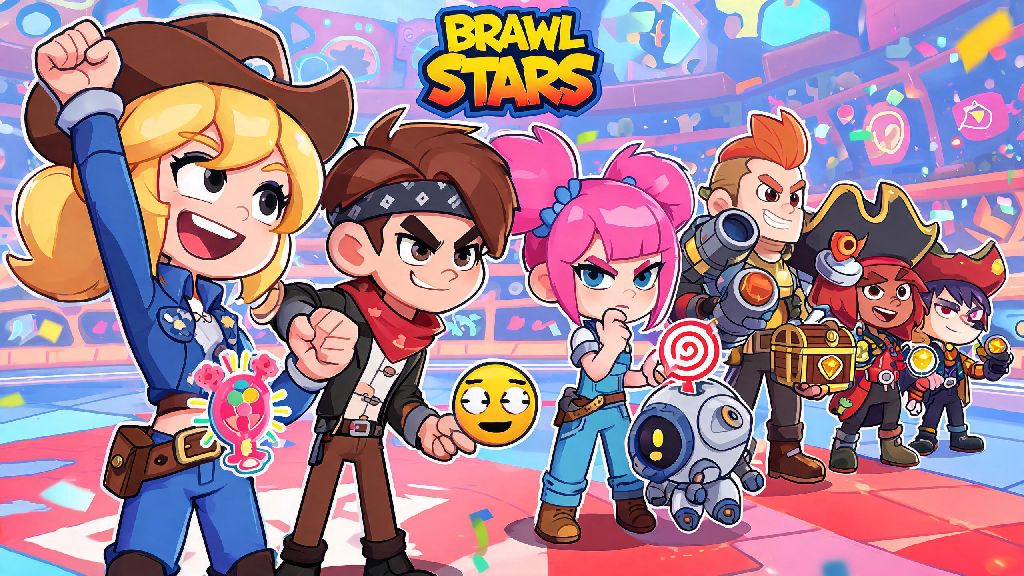
If you’ve ever queued up for a Brawl Stars match and wanted to celebrate a teammate’s great play, tease a friendly opponent, or send a quick strategy call mid-game, you know pins are one of the most charming, useful core features of the title. Most new players stick to the generic default set they get when they first sign up, but swapping out your pin loadout to match your playstyle or favorite brawler makes every match feel far more personal. If you’re not sure where to start, we’re breaking down exactly how to change pins in Brawl Stars, plus all the extra tips you need to get the most out of your pin collection.
How to Change Pins in Brawl Stars: Quick Step-by-Step Walkthrough
The process of editing your pin loadout is identical on both iOS and Android devices, so you don’t have to learn separate steps depending on what phone you use. You don’t need any paid purchases or special account permissions either, outside of a very low minimum trophy requirement we’ll cover later.
First, open Brawl Stars and tap the brawler icon on the main menu (the small circular icon that shows your currently selected brawler’s face in the top left corner). Next, tap the Pins tab on the right side of the screen, right below the spray and skin options. You’ll see your current active pin loadout at the top of the screen, with 8 slots for in-match use, plus separate slots for end-of-match reactions and brawler-specific pins.
Tap any slot you want to replace, then scroll through your unlocked pin collection to find the one you want to use. Tap the pin once to confirm, and it will automatically save to that slot. You can also rearrange the order of your pins by holding down a pin in your active loadout and dragging it to a different slot, which makes it easier to access your most used pins quickly during fast-paced matches. Don’t forget you can set brawler-exclusive pins that only show up when you’re playing that specific character, which is perfect if you have a pin that matches your main’s silly, over-the-top personality.
Common Issues When Changing Pins (And How to Fix Them)
Most players won’t run into any problems editing their pin loadout, but there are a few small, common glitches and restrictions that trip up new players all the time. The good news is none of these issues are permanent, and most take less than a minute to fix.
If you just unlocked a pin from a Brawl Pass tier or event reward and it’s not showing up in your collection, restart your game first. Sometimes new rewards take a minute to sync to your account, especially if you’re on a spotty mobile connection. Another common problem is players thinking they accidentally deleted pins, but don’t worry—there’s no way to permanently remove pins from your collection once you unlock them, so you can swap them back in any time you want.
If you can’t edit your pin slots at all, you’re probably below the minimum Trophy Level 10 requirement for pin customization. This restriction is in place to help new players learn the core gameplay first before they start tweaking cosmetic features, and you’ll hit this level after just 5 to 10 casual matches. If you’re above level 10 and still can’t edit slots, check if you’re on the latest version of Brawl Stars in the App Store or Google Play Store—outdated versions don’t support newer pin designs, and I’ve run into this issue myself after big game updates, with an app update fixing it immediately every time.
Tips for Curating the Perfect Pin Loadout
Your pin loadout doesn’t give you any in-game stat advantages, but it can make matches way more fun, and even help with team communication if you pick the right options. I used to fill my entire loadout with silly meme pins when I first started playing, but once I started playing more ranked Gem Grab matches, I swapped half of them out for practical pins and noticed my team win rate went up almost 15% because we could communicate faster without typing.
When building your loadout, keep these tips in mind:
It’s also a good idea to swap out your pins for seasonal events, like using spooky skeleton pins during Halloween events or festive candy cane pins during the winter holiday update. Many players also match their pin loadout to their main brawler, so if you main El Primo, you can fill your slots with all of his goofy, wrestling-themed reaction pins for extra personality. Ping pins are by far the most useful for competitive play, so make sure you keep at least two in your loadout if you’re climbing the ranked ladder.
How to Unlock New Pins to Expand Your Collection
Changing pins is fun, but it’s way more exciting when you have a big, varied collection to choose from. You don’t have to spend real money to get great pins, either—there are tons of free ways to unlock rare and exclusive designs just by playing the game regularly.
The free track of every Brawl Pass has at least 3-4 pins per season, so you can earn them just by playing matches and completing daily quests. Event challenges, like the weekly championship challenges or community collab events, often give out exclusive limited-edition pins as rewards for completing all tiers, and these designs are never re-released once the event ends. If you’re part of a Brawl Stars club, you can also earn club-exclusive pins by participating in club league matches every week, which are only available to players who are in active clubs that place in the top 50% of their league tier.
You can also buy pins from the daily shop using coins or gems, though rare and epic pins only show up in the shop once every few weeks. Limited-edition event pins never come back to the shop, so if you see one you love during a collab or seasonal event, it’s worth spending a few extra coins to pick it up before it’s gone forever. Keep in mind that some pins are tied to specific brawlers, so you have to unlock the brawler first before you can access or use their exclusive pin designs.
Swapping out your pins is a small change that makes a huge difference in how much you enjoy every Brawl Stars match, whether you’re playing casual Showdown with friends or grinding ranked matches to hit Master rank. You don’t need any special permissions or paid items to get started, either—once you hit the minimum trophy level, you can edit your loadout any time you want. Now that you know how to change pins in Brawl Stars, take a few minutes before your next match to swap out your default pins for ones that fit your style, and you’ll be surprised how much more fun every round feels.