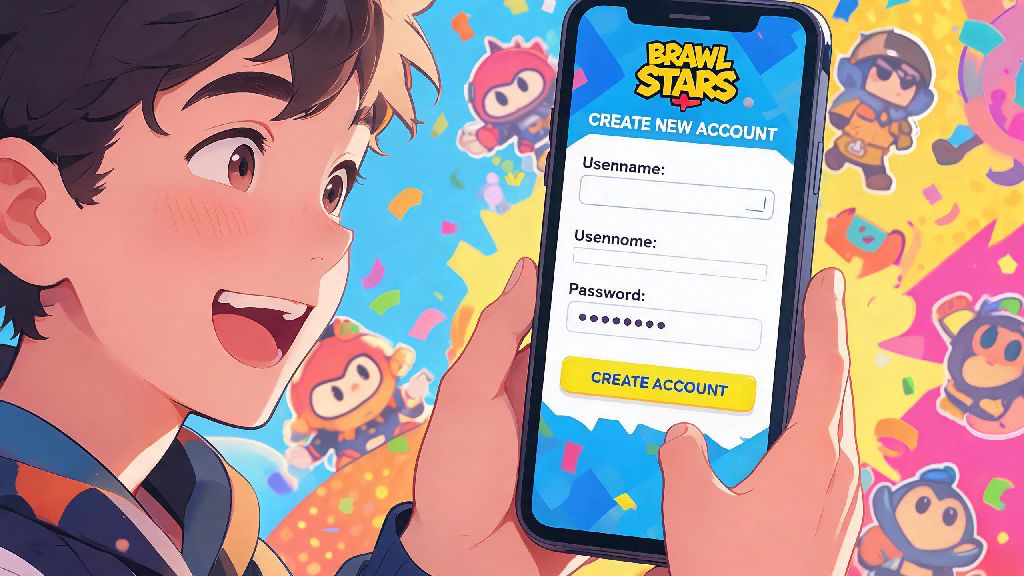
If you’ve ever grown frustrated with a stagnant trophy count, wanted to play alongside low-level friends without stomping lobbies, or simply crave a fresh start to grind for your favorite rare brawlers, you’re probably looking for how to create a new Brawl Stars account. The process is simpler than most players think, but there are a few key rules to follow to avoid losing access to your new profile or getting hit with a Supercell account ban. I’ve made three separate Brawl Stars accounts over the years for different use cases, so I’ve sorted out all the kinks to help you set up your new account without any headaches. You don’t need any special tools or technical knowledge to get started, just a valid email address and a few minutes of free time.
How to Create a New Brawl Stars Account for iOS, Android, and Supercell ID
The exact steps vary a little depending on your device, but the core process is the same across all platforms. First, if you currently have a Brawl Stars account logged in on your device, you’ll need to log out of it first. To do this, open the game, tap the three horizontal lines in the top right corner, select “Settings”, then tap the “Log Out” button next to your Supercell ID. Confirm the log out, and you’ll be taken to the game’s welcome screen.
If you’re on Android, you can either sign up with a new Google Play account or use a separate Supercell ID. For iOS users, you can use a new Apple ID or Supercell ID as well. Supercell ID is the only official way to transfer your account between devices safely, so I recommend using this option no matter what platform you play on. To sign up with Supercell ID, tap “Register Now” on the welcome screen, enter a valid, unused email address, and confirm the verification code sent to your inbox. Set a secure password you won’t forget, and you’ll be dropped straight into the new player tutorial.
If you want to make a second account on the same device, you don’t have to uninstall the game. Just log out of your main account as outlined above, then sign in with the separate email linked to your new profile. You can switch between accounts as often as you want without any issues, as long as both are linked to unique, valid email addresses. The whole process takes less than five minutes from start to finish if you have your email ready to go.
Reasons Players Make a Fresh Brawl Stars Account (And When It’s Worth It)
There’s no wrong reason to make a new account as long as you follow Supercell’s terms of service, but most players choose to start over for a few common reasons. I made my second account two years ago when my little cousin first started playing, because my main 12k trophy account kept matching us against players that would wipe his low-level Shelly in 10 seconds flat. A new account let us queue together against players at his skill level, so he could learn the game without getting frustrated.
Here are the most common valid reasons to start a new Brawl Stars profile:
That said, there are a few reasons to make a new account that aren’t allowed, and can get both your new and main accounts banned permanently. Never make a new account to troll or throw matches in low-trophy lobbies, as this ruins the game for new players and violates Supercell’s fair play rules. You also shouldn’t make new accounts to exploit promotional rewards that are only available for first-time players, as the system will flag duplicate accounts linked to the same device or payment method.
Common Mistakes to Avoid With Your New Brawl Stars Account
Most issues with new accounts come from small, avoidable mistakes players make during the setup process. The most common mistake I see is players using temporary, disposable email addresses to sign up for Supercell ID. If you use a throwaway email, you won’t be able to reset your password if you get locked out, or verify your account if Supercell flags it for suspicious activity. You’ll lose all your progress permanently, with no way to recover it.
You cannot use the same email address for two separate Brawl Stars accounts linked to Supercell ID. A lot of players try to use their main email for a second account, and end up accidentally overwriting their main account progress in the process. Make sure you use a completely separate, active email for each account you make to avoid this costly mistake. If you don’t have a second email, most free email providers let you make a new address in two minutes for free.
Avoid purchasing pre-made Brawl Stars accounts from third-party sites, no matter how good the roster or price looks. These accounts are almost always stolen, or linked to emails the seller can access after you pay. They can log back in and change the password at any time, and Supercell will not help you recover the account because account selling violates their terms of service. You’ll lose your money and all access to the account, with no recourse. It’s always better to build your own account from scratch, even if it takes a little longer to unlock the brawlers you want.
Another common mistake is spending all your starting gold on upgrading the first few brawlers you unlock right away. It’s tempting to power up your initial Shelly or Colt as soon as you get enough gold, but you’re better off saving your resources until you unlock a brawler you actually enjoy playing. You’ll get way more value out of upgrading a brawler you use regularly than wasting gold on a character you’ll never touch after the first few matches.
First Steps to Take After Activating Your New Brawl Stars Account
Once you finish the initial sign up process, you’ll be dropped into the mandatory new player tutorial. Don’t skip this, even if you already know how to play the game. Complete the full in-game tutorial before claiming any free promotional rewards, as many rewards won’t appear in your inbox until you finish the first three introductory matches. The tutorial only takes three or four minutes to get through, so it’s worth the small time investment.
As soon as you finish the tutorial, double check that your account is properly linked to your Supercell ID. Go to the settings menu, and make sure your email address is listed correctly under the Supercell ID tab. If you don’t see it, tap the “Link Account” button and follow the prompts to connect it before you play any more matches. This ensures you won’t lose your progress if you uninstall the game or switch devices later.
Next, claim all your free starting rewards from the in-game inbox. New accounts get a handful of free boxes, gold, and sometimes even limited-time skins depending on current promotions. Open your first few boxes to unlock your first set of brawlers, and take them for a spin in a few friendly matches to see which ones fit your playstyle. If you’re not happy with your initial drops, you can always make another new account, but keep in mind that you’ll have to go through the tutorial again each time you restart.
Finally, join a low-level club to team up with other new players. Clubs let you earn extra club coins for playing matches with other members, which you can spend on exclusive skins and boxes. Look for clubs with low entry requirements that are marked as “friendly” or “for new players” to avoid getting kicked for low trophy counts. Playing with other new players is also way more fun than queuing solo, and you can pick up small tips to improve your gameplay faster.
Whether you’re chasing a better starting roster, playing with new friends, or switching devices, knowing how to create a new Brawl Stars account lets you get the most out of your time in the game without unnecessary hassle. As long as you follow Supercell’s rules, use a valid email address, and avoid the common mistakes outlined above, you’ll have your new account up and running in no time. Take your time grinding, have fun experimenting with different brawlers, and don’t stress too much about trophy counts on a fresh account - the early grind is half the fun.