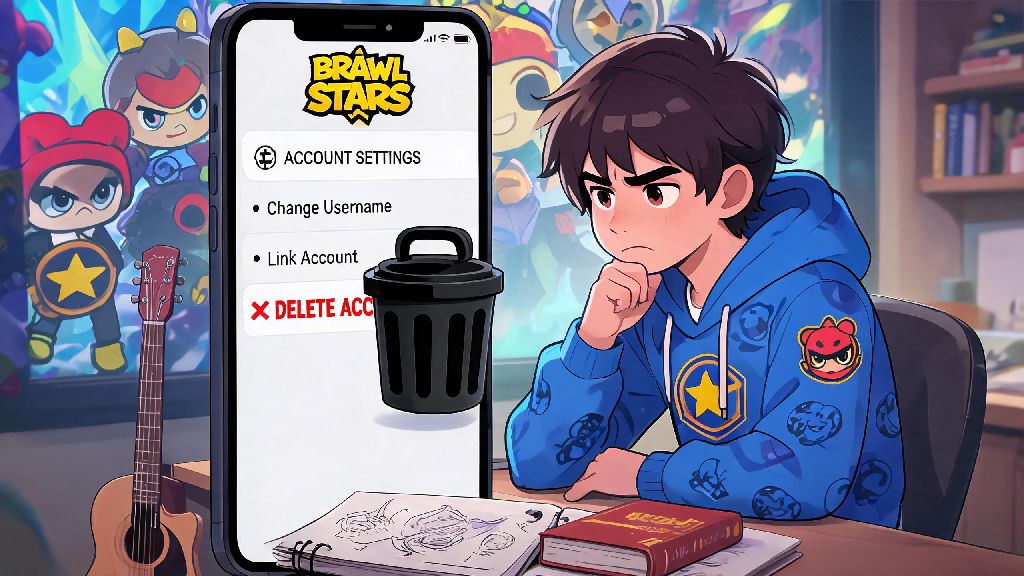
Maybe you made a throwaway alt account when you first started playing, linked the wrong email to your main profile, or are ready to step away from mobile games entirely to focus on other hobbies. Whatever your reason, figuring out how to delete a Brawl Stars account doesn't have to be a confusing, time-consuming headache. I've walked dozens of community members through this process over the years, and I've broken down every step, catch, and workaround you need to know to get it done right the first time.
How to Delete a Brawl Stars Account Permanently, Step by Step
Supercell has made the deletion process fairly straightforward in recent years, and you can complete the entire request either in-game or through the official Supercell support site. Before you start clicking through menus though, there are a few non-negotiable pre-checks you need to run first to avoid costly, irreversible mistakes:
Once you've run through those checks, open your Brawl Stars app, tap the three horizontal lines in the top right corner, and select "Settings" from the dropdown menu. Scroll down until you see the "Help and Support" button, tap it, then select the "Account" category. You'll see an option labeled "Delete my account" near the bottom of the list. Follow the on-screen prompts, and you'll get a 6-digit confirmation code sent to the email linked to your Supercell ID. Enter that code to submit your request.
Note that all deletion requests have a mandatory 30-day cooling off period, so if you log into the account at any point during those 30 days, the request will be automatically canceled with no extra steps required. If you don't have access to the in-game app, you can also submit a deletion request directly through Supercell's support site by verifying your account ownership with your linked email and purchase history.
Common Reasons Players Delete Their Accounts (And Less Final Alternatives)
Most people don't choose to delete their Brawl Stars account on a random whim. I've seen every reason under the sun, from players burnt out after months of grinding trophy ranks to parents deleting accounts for kids who spend too much time playing instead of doing schoolwork. But before you go through with permanent deletion, it's worth considering a few less final alternatives that let you keep your progress if you change your mind later.
For example, if you're just feeling burnt out from non-stop play, you can enable the game's built-in screen time limits to restrict how long you play each day without losing all your skins and brawler progress. If you're tired of your current account's trophy count or wish you could reroll your starter brawlers, you can always start a new alt account without deleting your main one, so you can come back later if you miss playing with your old clubmates. If you're worried about unauthorized access to your account, changing your Supercell ID password and enabling two-factor authentication is a much safer fix than deleting all your progress entirely.
The only time deletion is really the best option is if you have no intention of ever coming back to the game, or if you have multiple duplicate accounts cluttering up your linked social profiles. There's no shame in choosing to delete, but it's always worth pausing for 24 hours before submitting your request to make sure you're not making a decision out of frustration after a bad losing streak.
What Happens After You Submit Your Deletion Request?
A lot of players assume deletion is instant, but that's not the case at all. That 30-day cooling off period isn't just a formality, it's a safety net Supercell put in place to prevent accidental deletions or fraudulent requests from people who don't actually own the account. During that 30 day window, all your account data remains intact, but you won't be able to make in-game purchases or participate in competitive events like Power League or Club Wars.
Once the 30-day window passes, all your account data is permanently erased and cannot be recovered under any circumstances. That includes all your brawlers, skins, trophy progress, club membership, and purchase history. You will not be able to get any of that data back, even if you contact Supercell support, so make sure you're 100% sure before you let the window run out.
A lot of players also worry that deleting their Brawl Stars account will wipe progress in other Supercell games they play, like Clash of Clans or Clash Royale. That's not true. Deleting your Brawl Stars account alone will not delete your entire Supercell ID or progress in other Supercell games, unless you specifically request to delete your full Supercell ID profile during the request process. If you only want to remove Brawl Stars data, just make sure you select the option to only delete that specific game profile when prompted.
Troubleshooting Common Deletion Request Issues
Even if you follow all the steps correctly, you might run into a few snags when trying to delete your account. The most common issue I see is players not receiving the confirmation email for their deletion request. If that happens to you, first check your spam or junk folder, because the automated emails from Supercell often get filtered out by email providers. If it's not there, make sure you're checking the email address linked to your Supercell ID, not a secondary email you use for other accounts. If you still don't get the email, you can submit a deletion request directly through Supercell's official support site instead of using the in-game tool.
Another common issue is getting an error message that says you can't delete your account because it's part of a club. If that happens, you just need to leave your current club first before resubmitting the deletion request. Club ownership can't be transferred automatically, so if you're the owner of a club, you'll need to assign a new owner before you leave, or the club will be deleted along with your account.
If you have an active ban on your account, you will still be able to submit a deletion request, even if you can't log into the game to access the in-game settings. You just need to contact support directly with your account verification details to submit the request for you. If you're trying to delete a child's account that's linked to a family sharing plan, you might need to verify that you are the parent or legal guardian before the request will be approved, so have your ID and family plan details ready if that's the case.
At the end of the day, deciding how to delete a Brawl Stars account is a personal choice, and there's no right or wrong reason to do it. Whether you're taking a permanent break from the game, cleaning up old alt accounts, or fixing a mistake with a linked ID, the process is straightforward as long as you follow the steps and pay attention to the fine print. Just make sure you run through those pre-deletion checks first, and give yourself time to be sure before the 30-day cooling off period ends. You don't want to lose years of hard-earned progress just because you made a split-second decision when you were frustrated after a losing streak. If you run into any issues you can't fix on your own, don't hesitate to reach out to Supercell's support team for help.