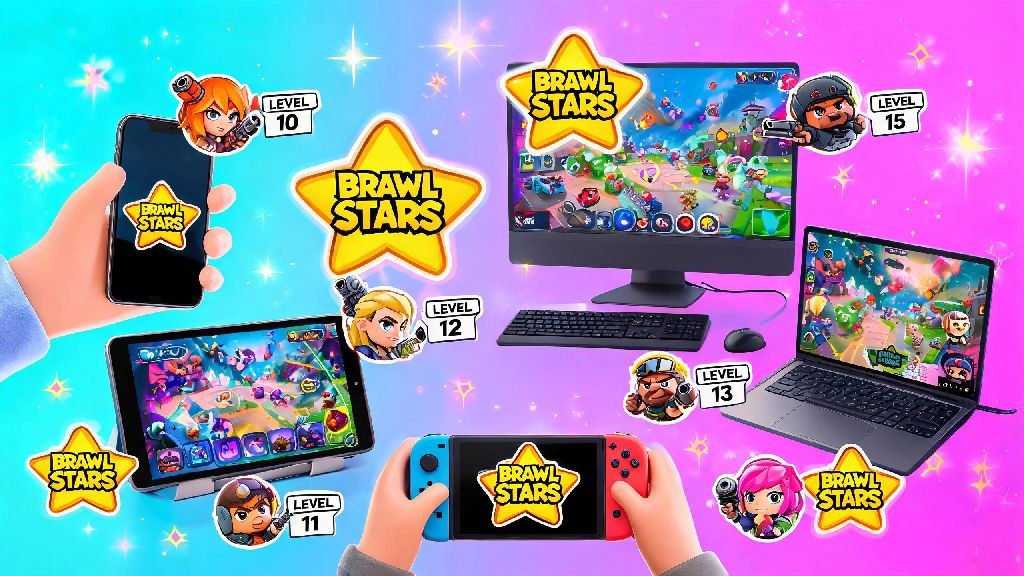
If you’ve just seen your friends posting about their latest Brawl Stars rank climbs or funny Showdown wins, the first question you probably have is what can you play Brawl Stars on before you dive in. Supercell built this fast-paced 3v3 shooter to be as accessible as possible, but there are far more device options than most new players realize, ranging from pocket-sized phones to big-screen desktop setups. This guide breaks down every valid option, plus safety tips and performance hacks to make sure your matches run smooth no matter what you use.
Official Supported Devices You Can Play Brawl Stars On
Supercell’s official supported devices are the safest, most reliable options, as they get regular game updates, full customer support, and zero risk of accidental account bans. All official setups let you sync your progress across devices with no hassle too.
First up are mobile devices, which are the most popular way to play by far. For Android users, you only need a device running Android 8.0 or higher with at least 2GB of RAM. Most budget Android phones released in the last 5 years will meet this requirement, though very low-end models with less than 2GB of RAM may struggle to run the game without stuttering. For iOS users, any iPhone or iPad running iOS 12 or later will work, that includes devices as old as the iPhone 6S and the first-generation iPad Pro. Your progress syncs seamlessly across all official devices via Supercell ID, so you can switch between your phone and tablet mid-session without losing any of your Brawlers or skins.
The other official option is Google Play Games for PC, which launched globally in 2023 for Windows 10 and 11 devices. You don’t need any third-party software to use this, just download the official Google Play Games app, search for Brawl Stars, and install it directly. This setup lets you play with keyboard and mouse controls, which a lot of competitive players prefer for faster aiming and movement. The minimum specs for this PC version are 4GB of RAM, an Intel i3 4th gen processor or equivalent, and integrated graphics, so it runs well even on budget laptops.
Alternative Safe Devices to Play Brawl Stars On
If you want to play on a device that isn’t on the official supported list, there are a few safe, widely used options that most players rely on, as long as you follow basic safety rules. These aren’t officially supported by Supercell, so you won’t get customer support if you run into glitches, but they don’t put your account at risk if you use them correctly.
The most popular unofficial option is Android emulators for PC, like BlueStacks or LDPlayer. These let you run Android apps on your Windows or Mac device, with far more customization options than the official Google Play Games version. You can map controls to any keyboard key or mouse button, adjust frame rates up to 120fps if your monitor supports it, and even stream directly to Twitch or YouTube without extra software. Chromebooks that support Android apps are another great option, especially if you have a touchscreen model. You can download Brawl Stars directly from the Google Play Store on compatible Chromebooks, and it works just as well as it does on a regular Android phone, with the option to use keyboard controls if you prefer.
For players who want a portable handheld experience without using a phone, the Steam Deck is a solid option too. You can run Brawl Stars on the Steam Deck via an Android emulator installed through Proton, and it works perfectly for casual on-the-go play, with controls mapped to the Deck’s built-in buttons. No matter which unofficial device you choose, follow these rules to keep your account and device safe:
Supercell does not provide support for unofficial device setups, so if you run into crashes or login issues, you’ll need to troubleshoot with the emulator or device manufacturer directly. Never share your Supercell ID login details with anyone, even if they claim to help you set up the game on a new device, as this is the most common way players get their accounts stolen.
How to Optimize Brawl Stars Performance On Any Device
Even if you have a supported device, you might run into lag or stuttering if your settings aren’t adjusted correctly. Small tweaks can make a huge difference in how smooth your matches run, which directly impacts how well you play, especially in competitive modes like Ranked or Power League.
For mobile devices, start by closing all background apps before you launch the game. Apps like social media or music streaming take up RAM and processing power that could be used for Brawl Stars, so closing them will immediately reduce stutter. If you have a mid-range or low-end phone, go to the in-game settings and turn off shadows, lower particle effects, and disable background animations. Enable 60fps mode if your device supports it because it makes aiming and reacting to enemy moves way faster, which is a huge advantage over players who are stuck on 30fps. Clear your game cache every 2 to 3 weeks too, as old cached data can build up and cause slowdowns over time.
For PC or emulator setups, allocate at least 2 CPU cores and 2GB of RAM to Brawl Stars in your emulator settings, or close other heavy apps like video editors or streaming software while you play. If you’re using the official Google Play Games version, make sure your Windows graphics drivers are up to date, as out of date drivers are the most common cause of crashes or frame drops. If you have a wired internet connection, use it instead of Wi-Fi, as it’s far more stable and will reduce lag spikes during matches.
If you’re playing on a Chromebook or Steam Deck, adjust the in-game graphics settings to match your device’s power. Most Chromebooks don’t have high-end graphics chips, so lowering particle effects and turning off 60fps mode will give you a much more consistent experience, even if it doesn’t look as fancy.
Devices That Can’t Run Brawl Stars (And What to Do If You Have One)
Unfortunately, there are some devices that just can’t run Brawl Stars natively, no matter what workarounds you try. Knowing what these are upfront will save you a lot of time trying to make a setup that will never work, and help you find a practical alternative instead.
Devices that don’t meet the minimum official specs can’t run the native game app, this includes Android devices running 7.1 or lower, iOS devices running 11 or earlier, and any device with less than 2GB of RAM. Consoles like the PlayStation 5, Xbox Series X/S, and Nintendo Switch also have no official Brawl Stars port right now, and there’s no reliable way to run the game on these devices without risking a ban. Basic feature phones, old e-readers, and most smart TVs also don’t support the game natively, even if they have app stores.
If you have an unsupported device, you still have options to play without buying a new phone or computer. Cloud gaming services that let you stream Android games to any device with a screen and internet connection work perfectly for Brawl Stars, as long as you have a stable 10Mbps or faster internet connection. You won’t get the same low latency as a native app, but it’s more than good enough for casual play. If you don’t want to use cloud gaming, you can pick up a used Android phone that meets the minimum specs for less than $50 from most second-hand electronics sites, which is a cheap way to get started if you don’t want to upgrade your main device. There are no legitimate workarounds to run the native Brawl Stars app on devices that don't meet minimum specs, so any site or video claiming to have a hack for this is almost certainly a scam.
At the end of the day, what can you play Brawl Stars on comes down to your play style and budget. If you mostly play casual matches on your commute, a regular mobile phone is more than enough. If you’re interested in competitive play or streaming, a PC or emulator setup with keyboard and mouse controls will give you a big edge. No matter which device you pick, the core game experience is exactly the same, so you don’t have to spend hundreds of dollars on a high-end device to have fun or climb ranks. Just remember to prioritize account safety if you use unofficial setups, and adjust your settings to match your device’s capabilities for the smoothest possible matches.