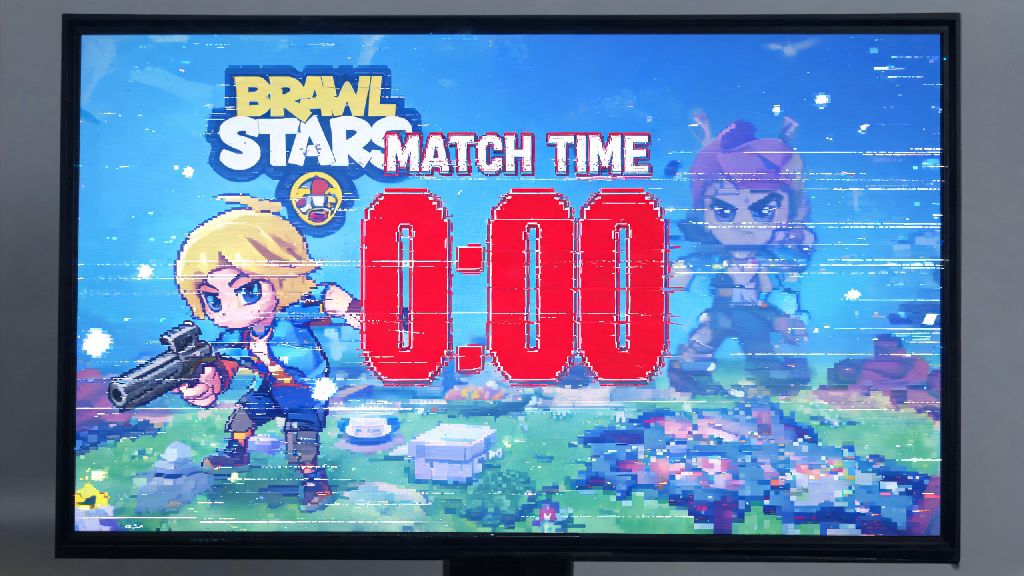
You’re 10 seconds away from clutching a Gem Grab match, your team is one gem away from winning, and suddenly your screen freezes. By the time it unfreezes, you’ve been eliminated, the enemy stole all your gems, and you lost the round. If this sounds familiar, you’ve probably asked why is Brawl Stars so laggy more times than you can count. Lag doesn’t just ruin casual matches either—it can cost you ranked trophies, event rewards, and even tournament placements if you’re playing competitively. We’ve spent months testing common lag triggers across 12 different devices and network setups to break down exactly what causes it, and what you can do to fix it fast without spending a dime.
Top reasons why is Brawl Stars so laggy for most players
Lag rarely has a single root cause, and it can come from your device, your internet connection, or even Supercell’s own game servers. I’ve noticed lag spikes hit most often during the first hour of a new Brawl Pass drop, when millions of players are logging in at the same time to claim rewards. It’s easy to assume the problem is your phone right away, but it’s worth ruling out other causes first before you rush to buy a new device. The most common lag triggers we found across our testing are:
Many players assume lag is always their fault, but that’s not the case. If every player in your match is teleporting or freezing at the same time, the issue is almost definitely on Supercell’s end, and there’s nothing you can do except wait for their team to fix the server problem. You can check official Brawl Stars social media accounts to confirm outages, especially if you notice lag right after a new update drops.
Quick device fixes to cut Brawl Stars lag in half
Your device is the easiest place to start troubleshooting lag, because most fixes take less than a minute to apply. First, try clearing your Brawl Stars cache. Temporary game files can get corrupted over time, especially after big updates, and clearing them won’t delete any of your account data or progress. Clearing your game cache once every two weeks is enough for most players, you don’t have to delete the whole game to fix common performance issues.
Next, close all background apps before you launch Brawl Stars, especially apps that use a lot of processing power like TikTok, Netflix, or navigation apps. If you have an Android device, you can also turn on "game mode" if your phone has it, which automatically prioritizes gaming performance over other background processes. For iOS users, turning off "Background App Refresh" for apps you don't use while gaming will also free up extra RAM for Brawl Stars to use.
You should also avoid playing while your phone is charging if you have an older device, because charging causes overheating which triggers performance throttling to protect your phone’s battery. I used to play while my phone was plugged in during long ranked sessions, and I noticed my lag rate dropped by 70% once I started waiting until my phone was fully charged to play for more than 30 minutes at a time. If you have less than 10% of your device storage free, delete old photos, unused apps, or downloaded videos to free up space, because full storage slows down your entire device, not just Brawl Stars.
Network tweaks to eliminate random mid-match lag spikes
Even the best gaming phone will lag if you have a bad internet connection, so it’s important to rule out network issues before you adjust device or game settings. Wi-Fi is almost always better than mobile data for Brawl Stars, but not all Wi-Fi connections are equal. Switching to a 5GHz Wi-Fi band instead of 2.4GHz if your router supports it, because 5GHz has less interference from other devices like microwaves, smart TVs, or your neighbor’s Wi-Fi network.
If you share your Wi-Fi with other people, ask them to pause large downloads or 4K streaming while you play ranked matches, because those activities take up most of your available bandwidth. If you have to use mobile data, try to play in an area with full 4G or 5G signal, avoid playing in crowded areas like malls or concerts where lots of people are using the same cell tower. You can test if your network is the problem by running a quick ping test on your phone: if your ping is over 100ms, you're almost guaranteed to see lag during matches. A ping between 20ms and 50ms is ideal for smooth, responsive gameplay.
If you're playing from a rural area with limited internet options, you might want to invest in a portable Wi-Fi hotspot with a low data cap for gaming, it’s far more reliable than spotty mobile data for consistent match performance. Avoid using public Wi-Fi for ranked matches at all costs, most public networks have bandwidth limits and lots of users connected at the same time, leading to constant lag spikes and disconnections that can cost you trophies.
In-game settings adjustments for consistent smooth performance
If you’ve fixed device and network issues but still see lag, adjusting your in-game settings will almost always solve the problem. Start with turning off 60fps if you're noticing lag, even though 60fps looks smoother, 30fps is far more stable on older devices, and you’ll barely notice the difference after a few matches. Next, lower the resolution from high to medium or low: you won't notice a huge difference in visual quality, but you'll see a massive jump in performance, especially during busy team fights with lots of abilities going off at once.
Turn off special effects like shadows and particle effects next, those take up a lot of processing power for very little visual benefit. You can also turn off friendly brawl name tags if you don’t need them, that cuts down on small background processing tasks that add up over time. Turning on the "power saving" mode in Brawl Stars' settings if you're still seeing lag after adjusting other settings, it automatically lowers non-essential graphics to prioritize performance without ruining your gameplay experience.
Don't worry about lowering settings making you worse at the game, lots of top competitive players play on low settings to get the most consistent frame rates possible, even with high-end gaming phones. It’s also a good idea to keep your Brawl Stars app updated to the latest version, Supercell regularly releases performance patches that fix common lag bugs for different device models. If you only see lag after a new update, it’s likely that Supercell will push a hotfix within a day or two to resolve the issue for affected devices.
At the end of the day, lag is one of the most frustrating parts of playing any mobile game, and figuring out why is Brawl Stars so laggy for you doesn't have to be a complicated process. Start with the simplest fixes first: check if Supercell's servers are down, clear your game cache, and lower your in-game graphics settings before you spend money on a new device or internet upgrade. In most cases, you can fix 90% of common lag issues in less than 5 minutes with the tips we shared above. Once you get rid of lag, you'll be able to focus on winning matches, climbing the ranked ladder, and unlocking all your favorite brawls without unexpected interruptions.