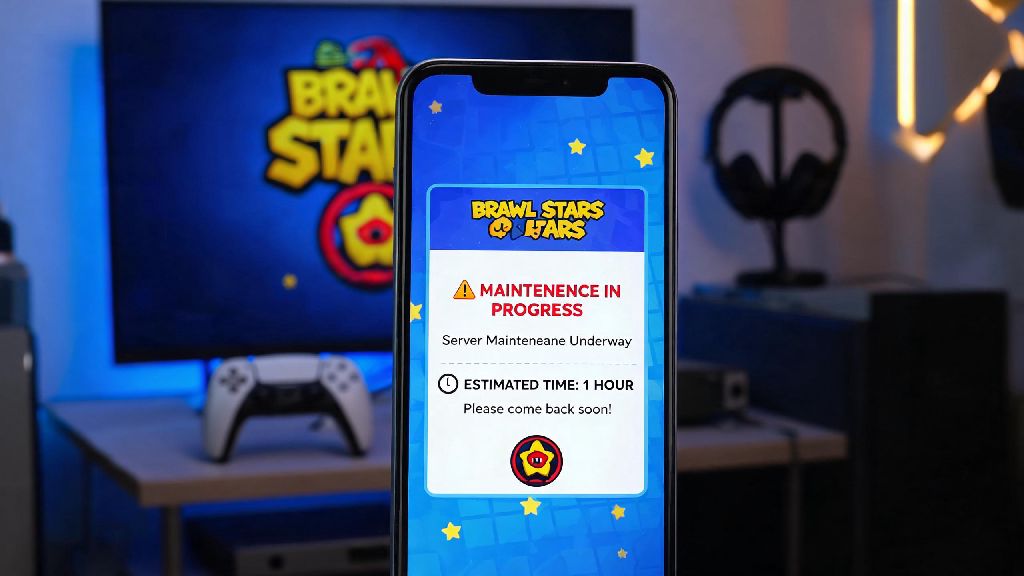
Imagine you’re 30 seconds away from winning your first Masters rank Brawl Ball match, your team has a clear path to the goal, and suddenly your screen freezes. A pop-up appears saying servers are down for maintenance, and you’re booted back to the home screen. If you’ve played Brawl Stars for more than a month, you’ve definitely lived this scenario, and your first thought is almost always how long is Brawl Stars maintenance break. I’ve been there too, once mid-club league grand final, and I spent 10 minutes refreshing social media looking for answers before I found a reliable timeline. This guide breaks down everything you need to know about maintenance windows, from standard lengths to why some run over, and how to make the most of your downtime.
What's the Average Length of a Brawl Stars Maintenance Break?
The short answer is that most scheduled maintenance windows fall between 30 minutes and 2 hours, with the vast majority wrapping up in roughly 60 minutes. Supercell schedules these breaks in advance for big updates, new season launches, new brawler releases, balance changes, and widespread bug fixes that can’t be applied while servers are live. Standard scheduled maintenance runs between 30 minutes and 2 hours, and the team almost always sticks to the timeline they share in pre-break announcements. If you’re checking the notice board to see how long is Brawl Stars maintenance break for an upcoming update, you’ll usually see a 1 to 2 hour window listed, and the team almost always finishes earlier than the upper end of that estimate.
Unscheduled emergency maintenance is a different story. These breaks happen out of nowhere, usually to fix critical issues like mass server crashes, game-breaking exploits that let players earn infinite trophies, or bugs that lock players out of their accounts entirely. Emergency unscheduled breaks rarely last longer than 45 minutes, because the dev team prioritizes getting players back into the game as fast as possible for these urgent issues. The only time emergency breaks run longer is if there’s a major server infrastructure failure, which happens less than once a year on average.
If you’re wondering why maintenance happens during peak play hours sometimes, it’s because the dev team needs all their staff on hand to monitor the deployment and fix any issues that pop up. Most scheduled breaks happen during mid-morning European time, which is early morning in the US and late afternoon in Asia, so the full dev team is available to troubleshoot if something goes wrong.
Why Do Some Maintenance Breaks Run Longer Than Expected?
Even with weeks of testing, sometimes new updates have bugs that don’t show up until they’re rolled out to the full global player base of Brawl Stars. When that happens, the dev team has to pause the launch, fix the bug, test the fix, and then resume rolling out the update, which adds time to the maintenance window. Unexpected post-deployment bugs are the top cause of extended maintenance, and they’re almost always issues that never came up during internal or beta testing.
Another common cause of extended downtime is server scaling for big season launches. When a new season drops with a popular new brawler or game mode, millions of lapsed players log back in at the same time to check out the new content. The dev team sometimes has to adjust server capacity during maintenance to handle that surge in traffic, which can add 15 to 30 minutes to the expected end time.
The good news is that Supercell almost always compensates players for extended downtime. If a maintenance break runs more than 30 minutes past the announced end time, you can usually expect free rewards like gems, coins, power points, or even exclusive pins waiting in your in-game mail when servers come back up. Players almost always get free compensation for extended downtime, so it’s worth logging in right after servers go live to claim your rewards. I once got 200 free gems a couple of years ago when a season launch maintenance ran 2 hours over, which was more than enough to buy the next Brawl Pass.
What You Can Do During a Brawl Stars Maintenance Break
Most players see maintenance as an annoying interruption, but you can actually use that downtime to get ahead in the game once you know how long you’ll be waiting. First, you can still access training mode and your player profile during most maintenance windows, so you don’t have to log out entirely. Here are a few easy ways to make the most of your downtime:
If you don’t feel like doing anything game-related, use the break as an excuse to step away from your phone for a few minutes. Grab a snack, stretch your legs, or run a quick errand, since most breaks are over before you know it. There’s no point in refreshing the app every 30 seconds, because you’ll get a pop-up as soon as servers are back online.
How to Get Real-Time Updates for Brawl Stars Maintenance Schedules
The easiest way to avoid getting caught off guard by scheduled maintenance is to check the in-game notice board every time you log in. Supercell posts all scheduled maintenance announcements 24 to 48 hours in advance, with the exact start time and expected duration, so you can plan your play sessions around it. I always check the notice board first thing when I log in, especially during season launch weeks, so I don’t start a ranked match right as maintenance is about to start.
If you’re in the middle of a break and looking for updates on when servers will come back, official Supercell channels are the only trusted source for accurate maintenance timelines. The official Brawl Stars Twitter/X account posts live updates every 15 to 30 minutes during extended maintenance, with revised end times if the break is going to run over. The official Discord server also has a dedicated server status channel where mods share real-time updates directly from the dev team.
You might find third-party server status sites online that track Brawl Stars uptime, but those sites are often delayed by 10 to 15 minutes, so they’re not as reliable as official channels. If you see a third party site saying servers are back up but your app still says maintenance is ongoing, trust the app, because the third party data is usually out of date.
Waiting for maintenance to end can be frustrating, especially when you’re in the middle of a good run, but knowing how long is Brawl Stars maintenance break and what to expect takes most of the stress out of the situation. Most breaks are short enough that you can squeeze in a quick break from your phone before you’re back to grinding trophies, and you’ll often get free rewards if the break runs longer than planned. Next time you see that maintenance pop-up, don’t panic — check the official social channels for updates, use the downtime to plan your next push, and you’ll be back in the game before you know it.